
Introduction
Excelia CRM is one system for a real-estate company's whole sales cycle: from the first lead, through holds, reservations and contracts, to collecting installments and handing over the keys. Sales agents, team leaders, sales managers, finance, marketing and company admins all work in it, each seeing the pages and records their role allows. It works in Arabic and English, on a computer and on a phone.
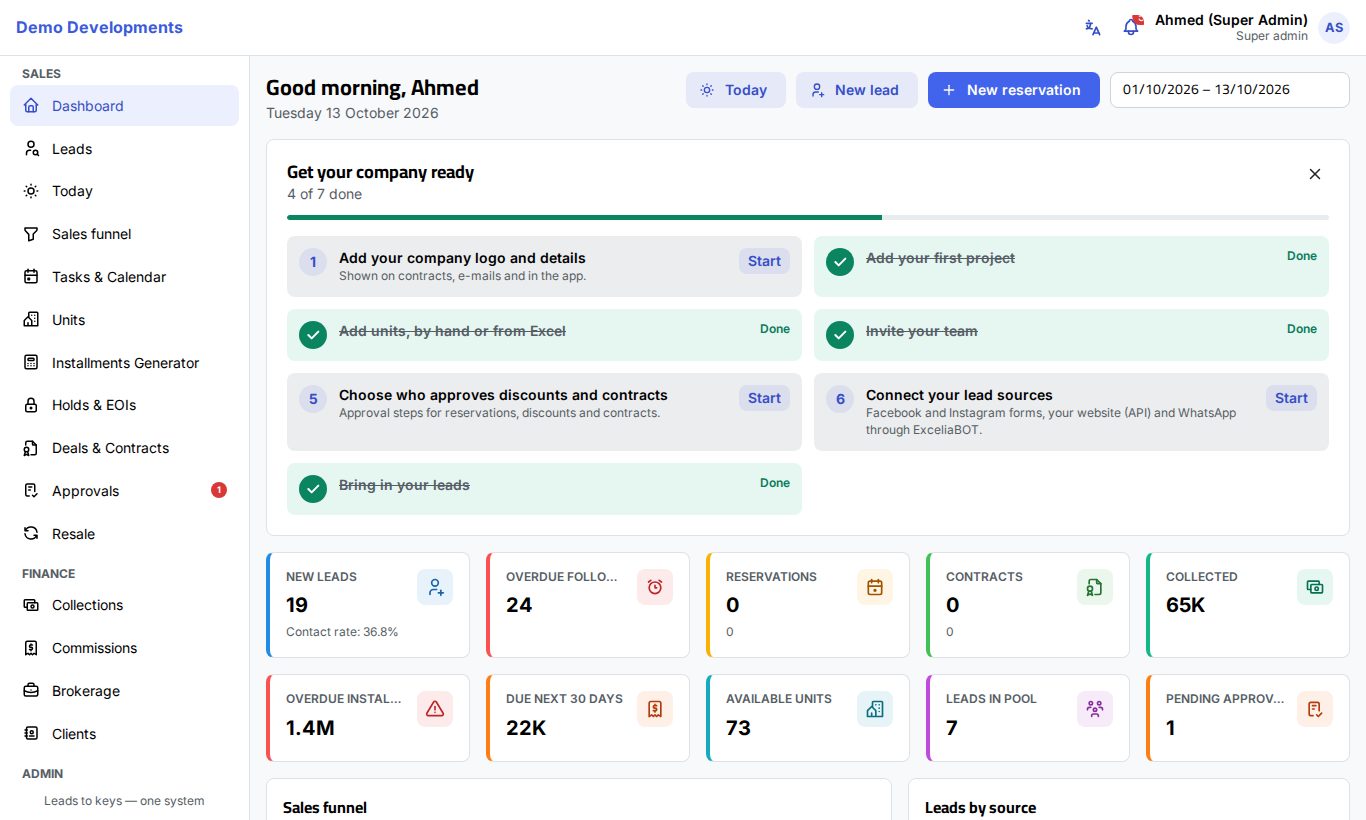
The main parts
Excelia CRM follows a client from first contact to the keys:
- Leads. Every enquiry (ad forms, website, WhatsApp, walk-ins, calls, imports from Excel) becomes a lead. It is assigned to an agent automatically or by a manager, or waits in the pool. Agents call, log what happened, set the next follow-up and move the lead through the funnel stages.
- Holds & EOIs. When the client is serious, the agent can hold a unit for a few hours or record an EOI (expression of interest, a payment before units are released).
- Deals & Contracts. Reserving a unit for a client creates a deal with its price and payment plan. The deal moves on to a contract draft, the client's signature, the company's signature and finally the handover.
- Collections. Each deal's installments, payments and cheques are followed up by finance until everything is paid.
- Approvals. Holds, discounts, reschedules, cancellations and other requests go through your company's approval steps before they take effect.
- Commissions and brokerage. Commissions for agents, team leaders, managers and sub-agents are created from contracted deals. Brokerage companies also follow developer registrations and claims.
- Reports. The dashboard, the sales funnel and the reports show leads, sales, targets, marketing and collections.
Who uses which part
| Role | Typical daily work |
|---|---|
| Sales agent | "Today", own leads and the lead pool, calls and follow-ups, holds, EOIs, reservations, own commissions. |
| Team leader | Everything an agent does, plus the team's leads and deals, assigning leads, and approval steps given to team leaders. |
| Sales manager | All leads and deals, approvals, prices and inventory, targets and lead distribution, sales and funnel reports. |
| Finance | Collections, payments and cheques, contracts, handovers, refunds, commissions, collection reports. |
| Marketing | Adding and importing leads, sources and campaigns, ad spend, marketing and funnel reports. |
| Company admin | Setting up the company: users, teams, roles, rules, integrations, contract templates, privacy, plus everything above. |
Your company can also create its own roles. See Roles and access.
How this guide is organised
- Getting started (this section): signing in, finding your way around, the app on your phone, your profile and roles.
- Daily work: Today, Leads, the lead page, tasks and the sales funnel.
- Inventory and sales: Projects and units, holds and EOIs, creating deals, the deal page, resale and clients.
- Finance and reports: Collections, commissions, brokerage, the dashboard and reports.
- For managers: Approvals, teams and targets, lead distribution, marketing.
- For company admins: Setting up your company and all the settings.
- Help: frequently asked questions and the glossary.
Tip
New to the words used in real-estate sales software (pool, hold, EOI, handover…)? Keep the glossary open in another tab.
Good to know
- You only see the menu items and records your role allows. If a colleague sees a page you don't, it is a matter of rights, not an error. Ask your company admin.
- Everything you change is saved on the server straight away. Other people's screens update by themselves within moments.
- Arabic and English are always available: switch with one click from the top bar.