
Resale
The Resale page keeps the units that owners want to sell on the secondary market: what the owner asks, what is still owed to the developer, and how much cash a buyer would need. For each listing the CRM finds matching buyers among your open leads, and when you sell, it records your agency's commission. Agents, team leaders, sales managers and admins can open it from Resale in the menu.
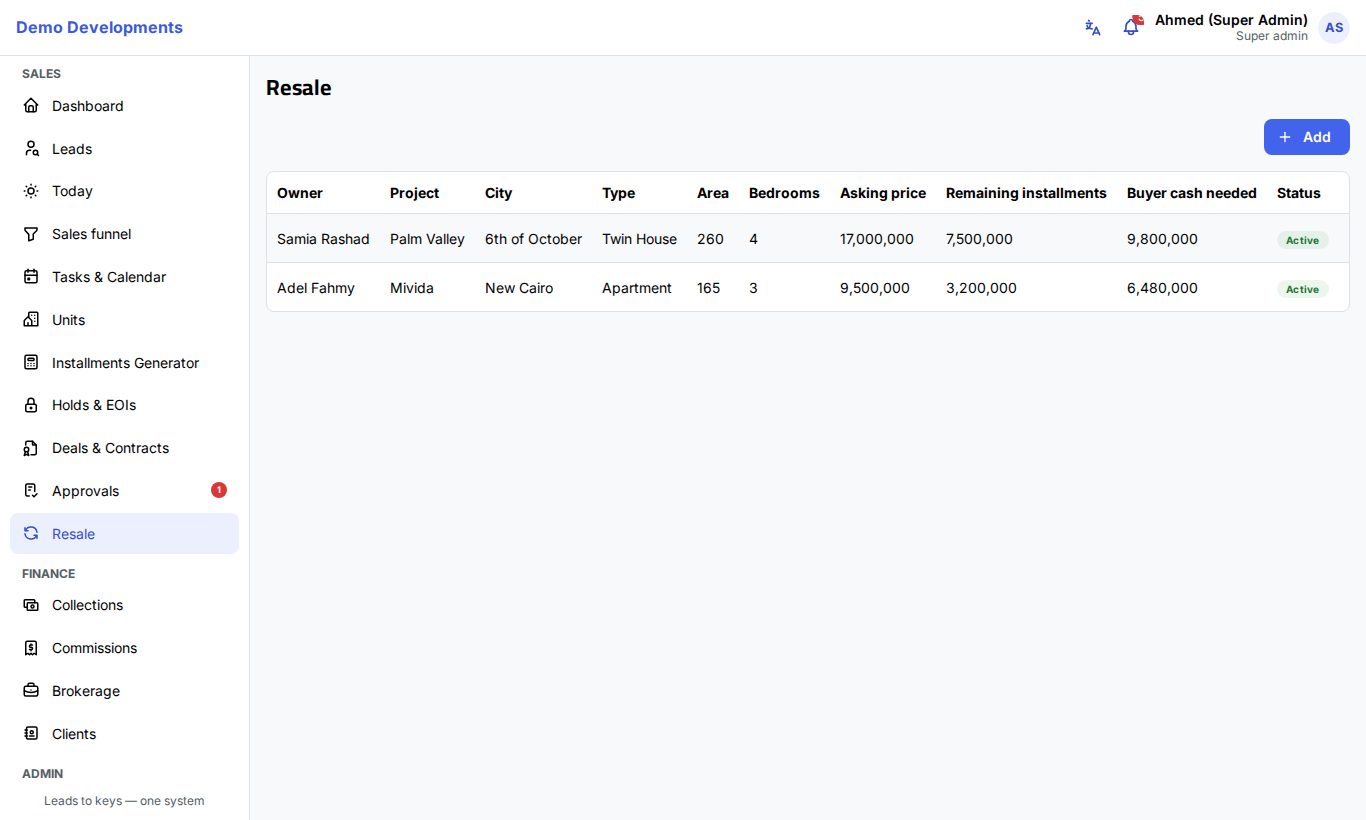
Add a listing
- Click Add.
- Fill in the owner: Owner and Phone (both required).
- Describe the unit:
- Project (a free name) and, if it is one of the projects in your inventory, Project (catalog).
- City, Type (required), Area and Bedrooms (required), Finishing and Delivery date.
- Fill in the money:
- Asking price (required).
- Paid to developer: what the owner has already paid.
- Remaining installments: what is still owed to the developer.
- Transfer fee: the developer's fee for transferring the unit.
- %: your agency's commission on the sale (2.5% to start with).
- Choose the Agent in charge, keep the Status at Active, add Notes and click Save.
The list shows Buyer cash needed for each listing: the asking price minus the remaining installments, plus the transfer fee. This is what a buyer pays now if they take over the remaining installments.
| Status | Meaning |
|---|---|
| Active | On the market. |
| Under negotiation | A buyer is negotiating. |
| Sold | Sold through you (set only with Mark sold). |
| Withdrawn | The owner took it off the market. |
Click the pencil on a row to edit a listing or change its status, or the bin to delete it.
Find matching buyers
Click Matching buyers on a listing. A panel lists up to 50 open leads whose budget is close to the asking price (within about 10%), who do not need more bedrooms than the unit has, and whose preferred area fits the listing's city. Agents see only their own leads. Click a name to open the lead.
Mark a listing sold
- Click Mark sold on the listing.
- Check the Sale price.
- Choose the buyer in Client (one of your leads), if they are in the CRM.
- Click Confirm.
The listing becomes Sold with the sale price and date, and the Agency commission is worked out from the sale price and the listing's %. Commission lines are created for the sales team (see Commissions). If you chose a buyer lead, it moves to the Contracted stage and the purchase is noted on its activity.
Good to know
- A sold listing keeps its sale details; editing it later does not change them.
- If no agent was chosen, the buyer lead's agent (or you, for agents) is linked to the sale.